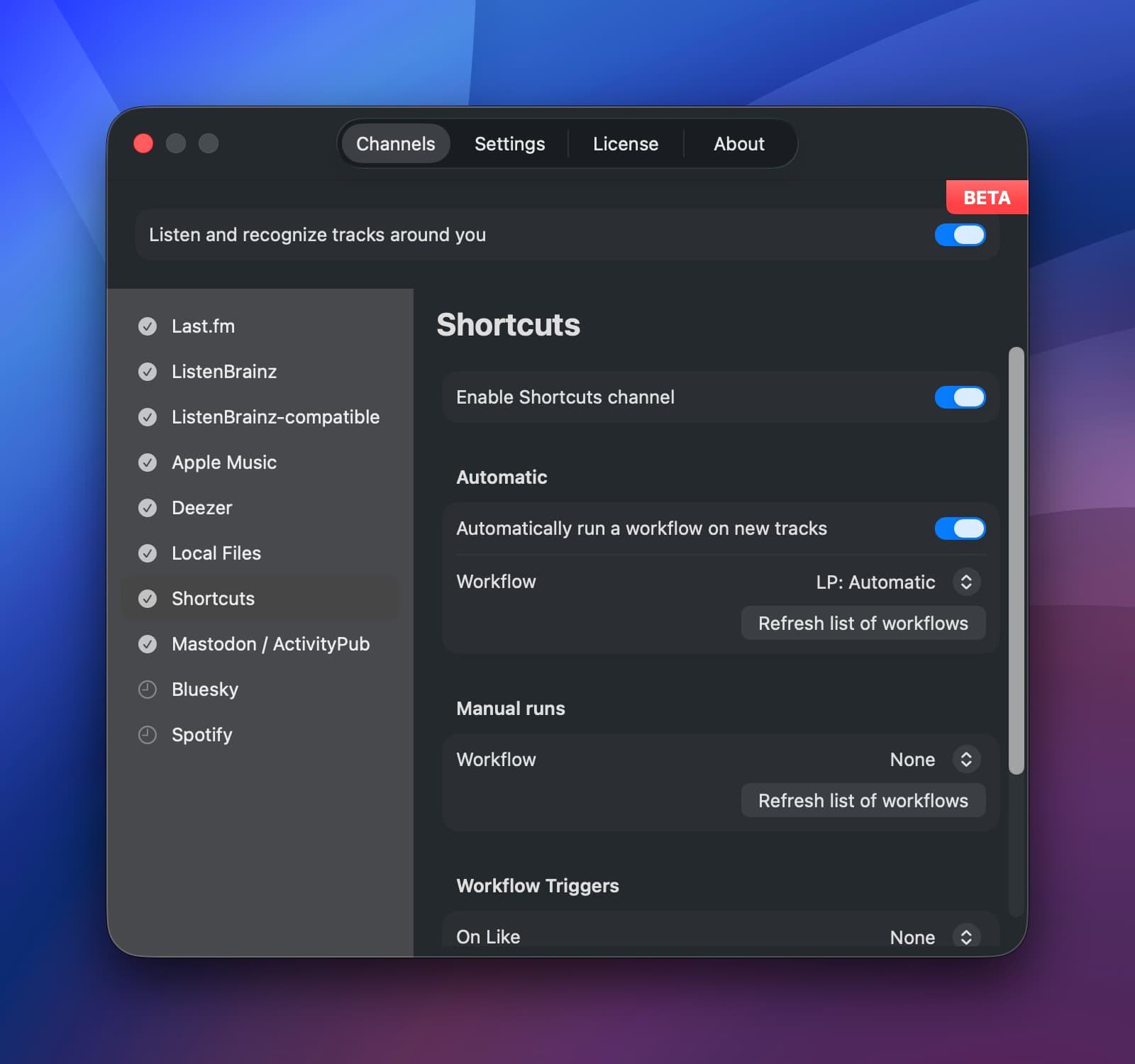
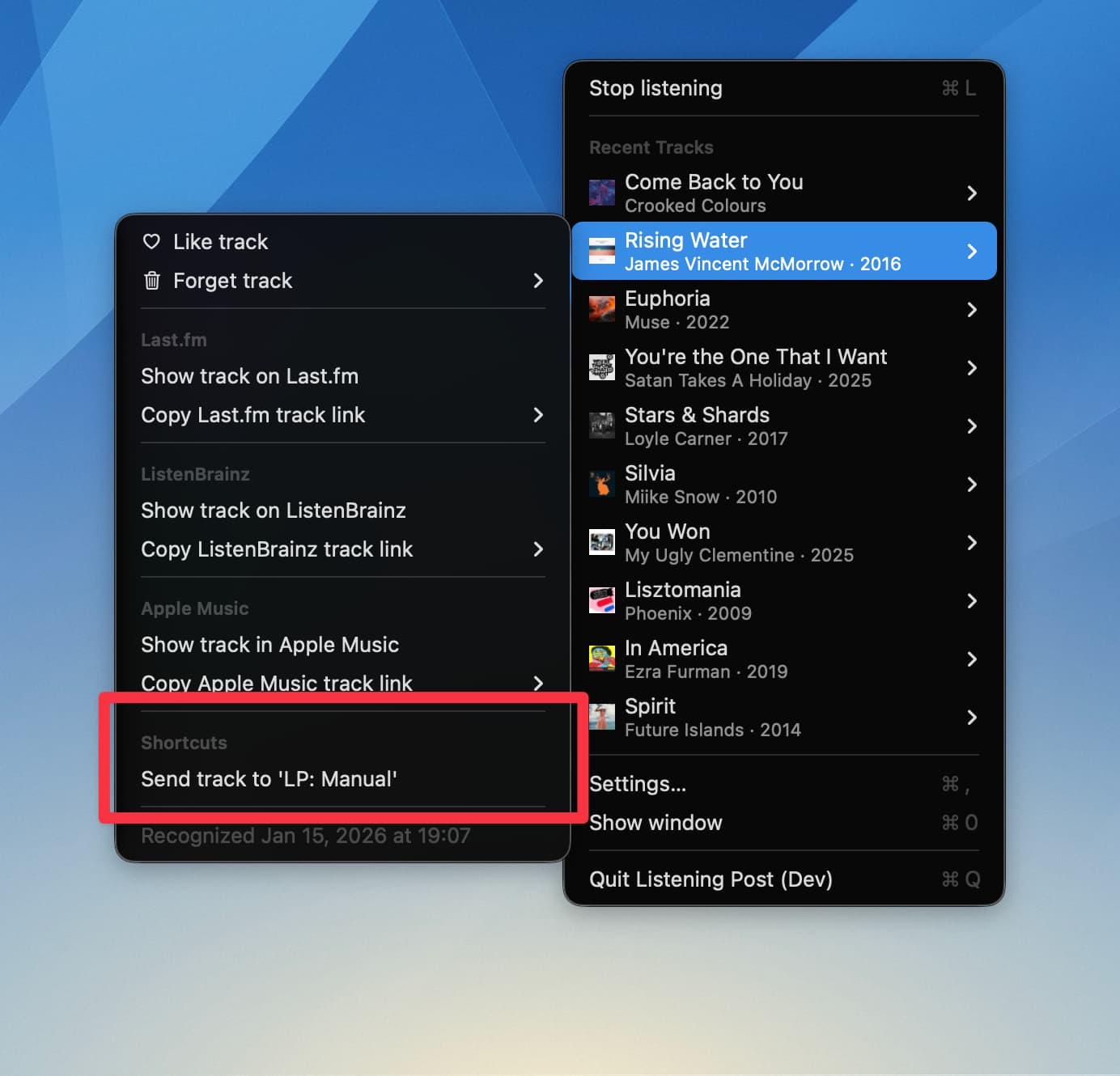
The Shortcuts channel lets you name Shortcuts workflows which will be run automatically, manually from the track menu, or when you like/ unlike/ delete a track.
The triggered workflow receives the full track data set as “File” input. That “file” is a Shortcuts dictionary.
Automatic workflow runs
When enabled, the workflow run happens after the track is recognized, once the publishing delay is over.
Running the manual workflow
This becomes possible once the track is fully recognized and enriched. The enrichment usually takes just a few seconds, and mostly depends on the channels you’ve enabled (Last.fm, ListenBrainz etc.).
Running workflow triggers
The “Workflow Triggers” section lets you set workflows that are automatically run when you like, unlike, or delete (forget) a track.
Likes and unlikes have a 5-second delay so rapid toggling Like cancels out.
Configuration
Find the configuration in the Channels tab → “Shortcuts”.
Track menu entry
Data format & Shortcuts example
Listening Post will send the full track info to the configured workflow, as JSON. Shortcuts can accept it as “File”, and will automatically turn it into a dictionary (key/value pairs). Here’s an example output that the workflow would receive:
{
  "appleMusicID" : "1125485371",
  "appleMusicURL" : "https:\/\/music.apple.com\/de\/album\/rising-water\/1125485351?i=1125485371&l=en-GB&itscg=30201&itsct=bglsk",
  "artist" : "James Vincent McMorrow",
  "artworkURL" : "https:\/\/is1-ssl.mzstatic.com\/image\/thumb\/Music114\/v4\/04\/ce\/bc\/04cebc5c-3505-ab0c-b8a6-0e8a22413833\/cover.jpg\/800x800bb.jpg",
  "explicitContent" : false,
  "genres" : [
    "Alternative",
    "Music"
  ],
  "id" : "665F2E71-2C9F-4BF6-B5F5-C45F877B9E80",
  "isLiked" : false,
  "isrc" : "IEDNV1600001",
  "lastfmURL" : "https:\/\/www.last.fm\/music\/James+Vincent+McMorrow\/_\/Rising+Water",
  "listenbrainzURL" : "https:\/\/listenbrainz.org\/recording\/a45bf538-9246-4616-a43c-01f4d89f63bc",
  "mbid" : "a45bf538-9246-4616-a43c-01f4d89f63bc",
  "recognizedAt" : "2026-01-15T18:07:00Z",
  "releaseYear" : 2016,
  "shazamID" : "321964698",
  "title" : "Rising Water"
}
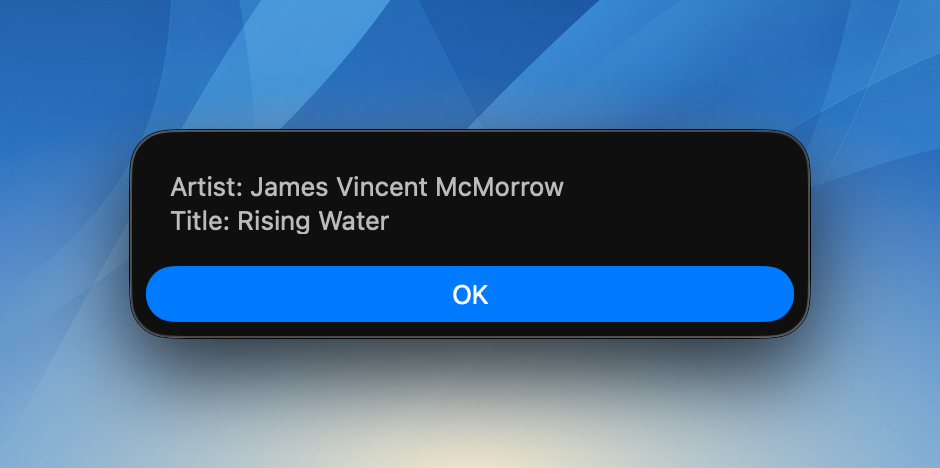
Each of these field/value pairs will become an entry in the dictionary. In the example below, both the “artist” and “title” values are used to build a simple text, which is then shown as an alert:
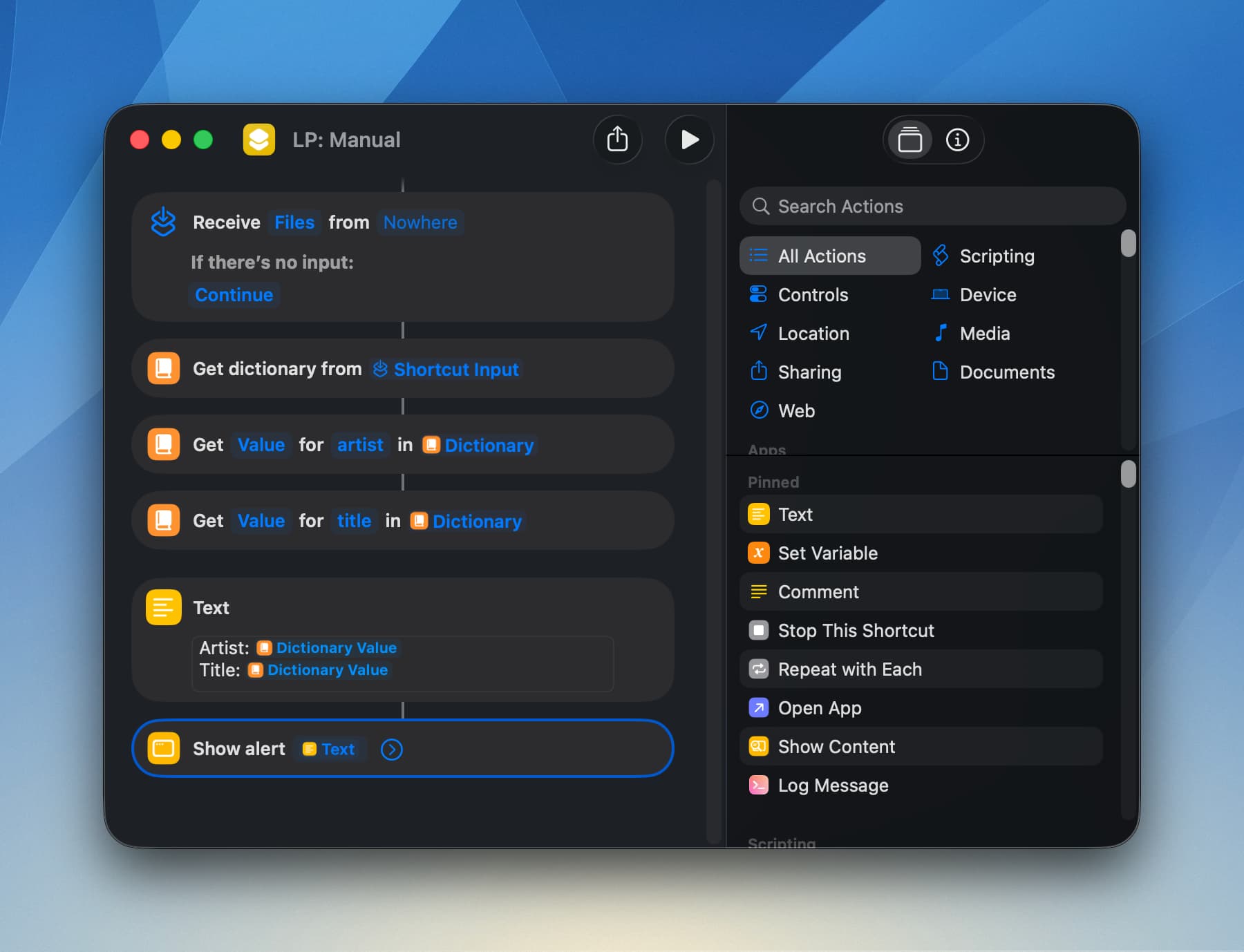
When this “LP: Manual” workflow (just an example name, you do you!) is run from the track menu, it’ll show an example alert:
And that’s all there is to it.