I’d like to place an icon on my iPhone Home Screen that opens up Obsidian’s Quick Switcher function.
I realize I need to leverage a Shortcut and I thought AFO would be of value. I thought the Trigger Command would be the right path to a solution but I am not understanding how to get it to work.
Can someone explain to me (1) if AFO does have the ability for me to open up Obsidian’s Quick Switcher function and (2) assuming it is via the Trigger Command action is the way to go, how does it work?
You want two workflows. The first needs to be run only to fetch the current list of available commands that your vault knows, and it basically just consists of Get Available Commands:
The second workflow is equally short. It uses Trigger Command, which relies on the list of commands that the first workflow stored in AFO, and it is the one that triggers the quick switcher command — add the action to the workflow, then select the command that should be called:
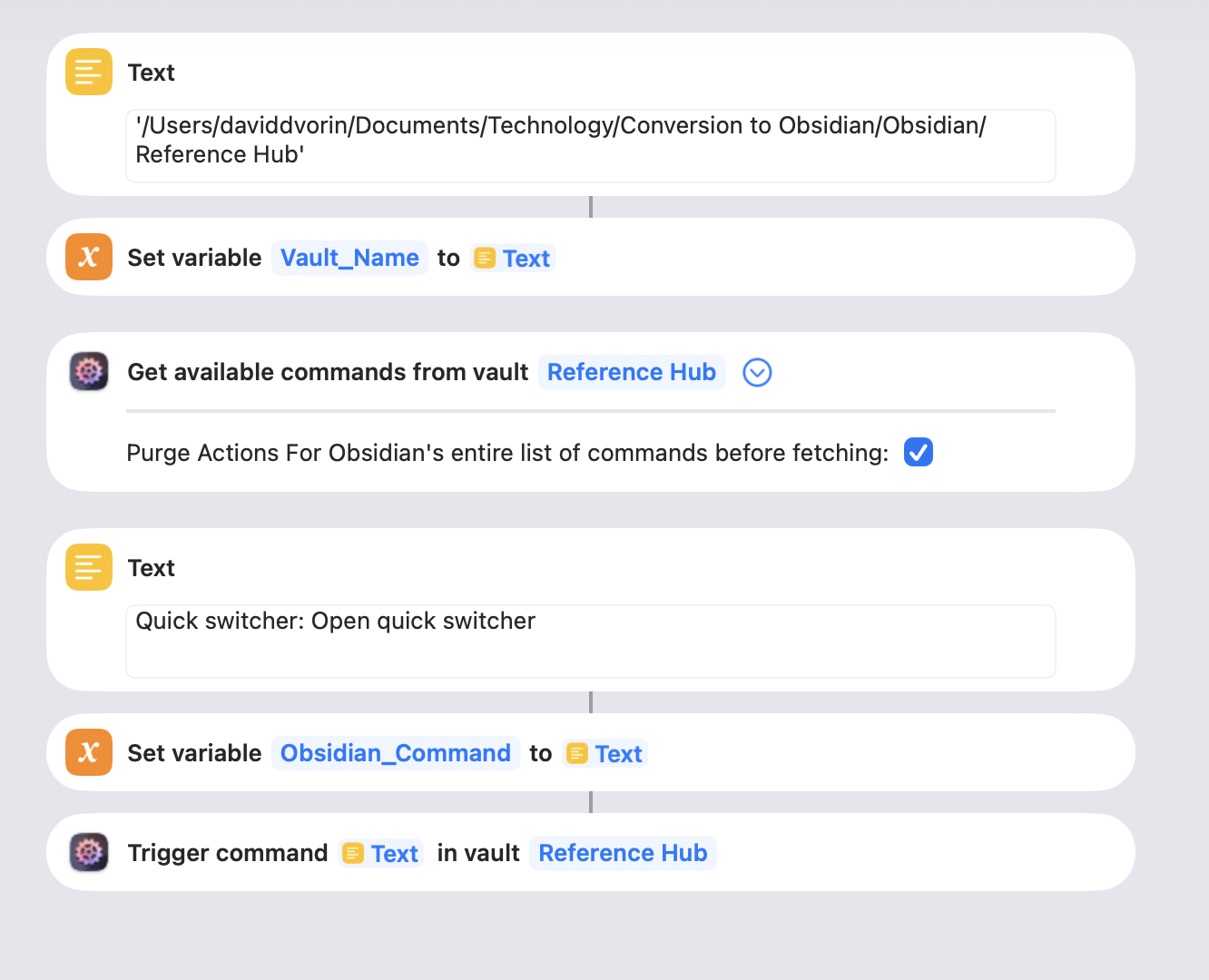
I’ve attached what I created. I don’t think it is right.
On one hand, it appears to work in that I eventually see the Quick Switcher screen. However, that is when AFO and Obsidian are not loaded on the iPhone. And when that is the environment, it takes 20 seconds to complete. In that time, I am presented with seeing Obsidian three times as it shows how I last left Obsidian.
On the other hand, if I re-run the Shortcut after leaving the environment as is, I see Obsidian two times in 10 seconds and am left with a black screen with “Obsidian” in the upper left corner of the screen, that when pressed, I am taken to Obsidian seeing the Quick Switcher screen.
You’re trying to set the vault by its name, that doesn’t work. I assume you’ve linked your vault(s) in AFO, if not, please do that, otherwise AFO can’t work.
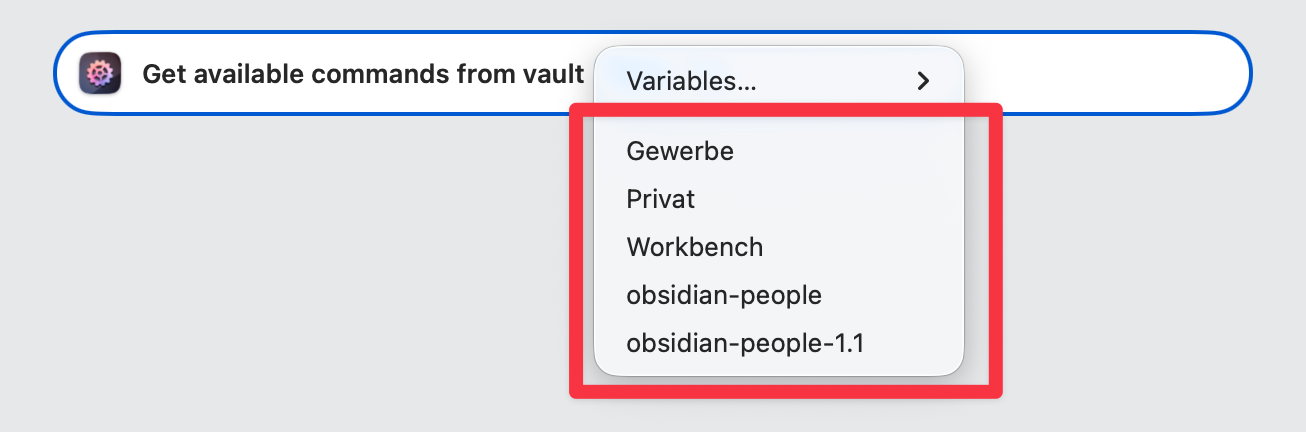
Then, add the action, and simply click the “vault” field. Your vault should be listed, like so:
Also, when you put both Get Available Commands and Trigger Command in the same workflow, then AFO makes one call to Obsidian to get the commands, and another to trigger a command, and it’ll do so every time. That’s why I said you need two different workflows, i.e. two different shortcuts “programs”, not just one. Fetching the list of commands every time is unnecessary, it’s usually enough to refresh AFO’s internal list of commands after you’ve added or removed plugins in Obsidian, or when there was a major new release that brought new commands.
[…] am left with a black screen with “Obsidian” in the upper left corner of the screen, that when pressed, I am taken to Obsidian seeing the Quick Switcher screen.
That can be configured, see AFO → Settings tab → “End of workflow”. Set it to “Open Obsidian”, that should do the trick.



 Please see the FAQ page on that whole topic: