BarCuts 2025.4: The "Clean Workflows" Update

As always, if BarCuts is already running on your Mac, either wait for the automatic update to pop up on its own (which might take up to 24h), or open the app window, then select “Check for updates …” from the main menu.

Let me know if you come across any issues with the new version, please! :call_me_hand:t3:


This is the biggest BarCuts update yet! :star_struck: I’m actually quite excited about it, because I rewrote a ton of stuff, and everything clicks together so nicely now.

:wave:t3: Goodbye, Shortcuts Tagger Action; Hello, Floating Tagger Panel

I’ve talked to a number of folks who told me that the idea of BarCuts appealed to them, but it was unusable because it prevented them from sharing their workflows with others or from using the same workflows on iOS. Since the initial release, because the BarCuts Tagger came in the form of a Shortcuts action, any tagged workflow would stop with an “Unknown action” error on devices which don’t have BarCuts installed – and that’s all of iOS, plus (usually) other people’s Macs.

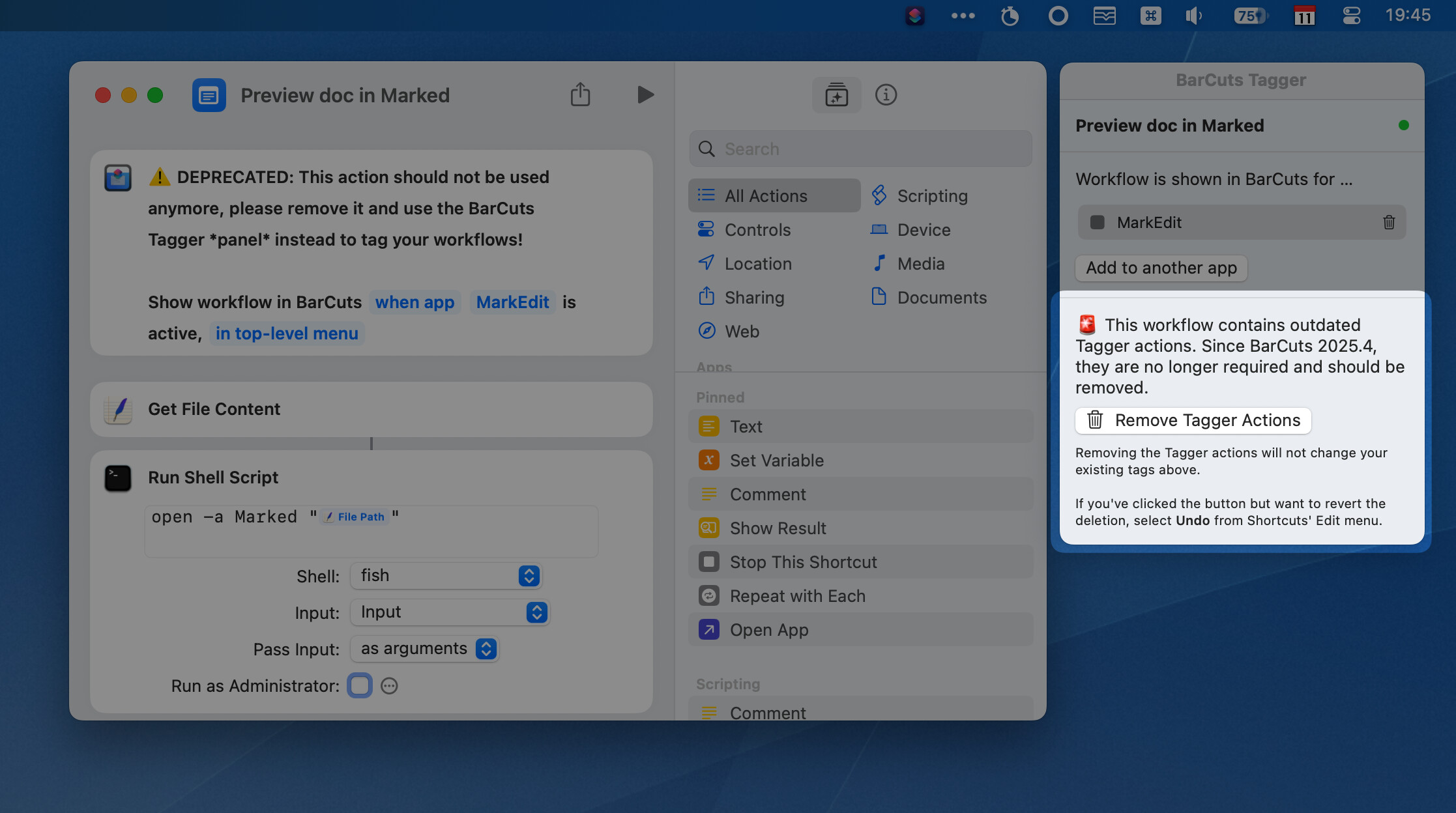
Hence, I’ve entirely rewritten the way we tag workflows now. While BarCuts is running, it adds a new floating panel to the Shortcuts editor for tagging your workflows. And that means that the workflows themselves can be kept “clean”, without any superfluous BarCuts action. It’s pretty sweet!

All your tagged workflows are automatically migrated; if there were any, then BarCuts will show you a list of all the workflows that still contain the old Tagger action.
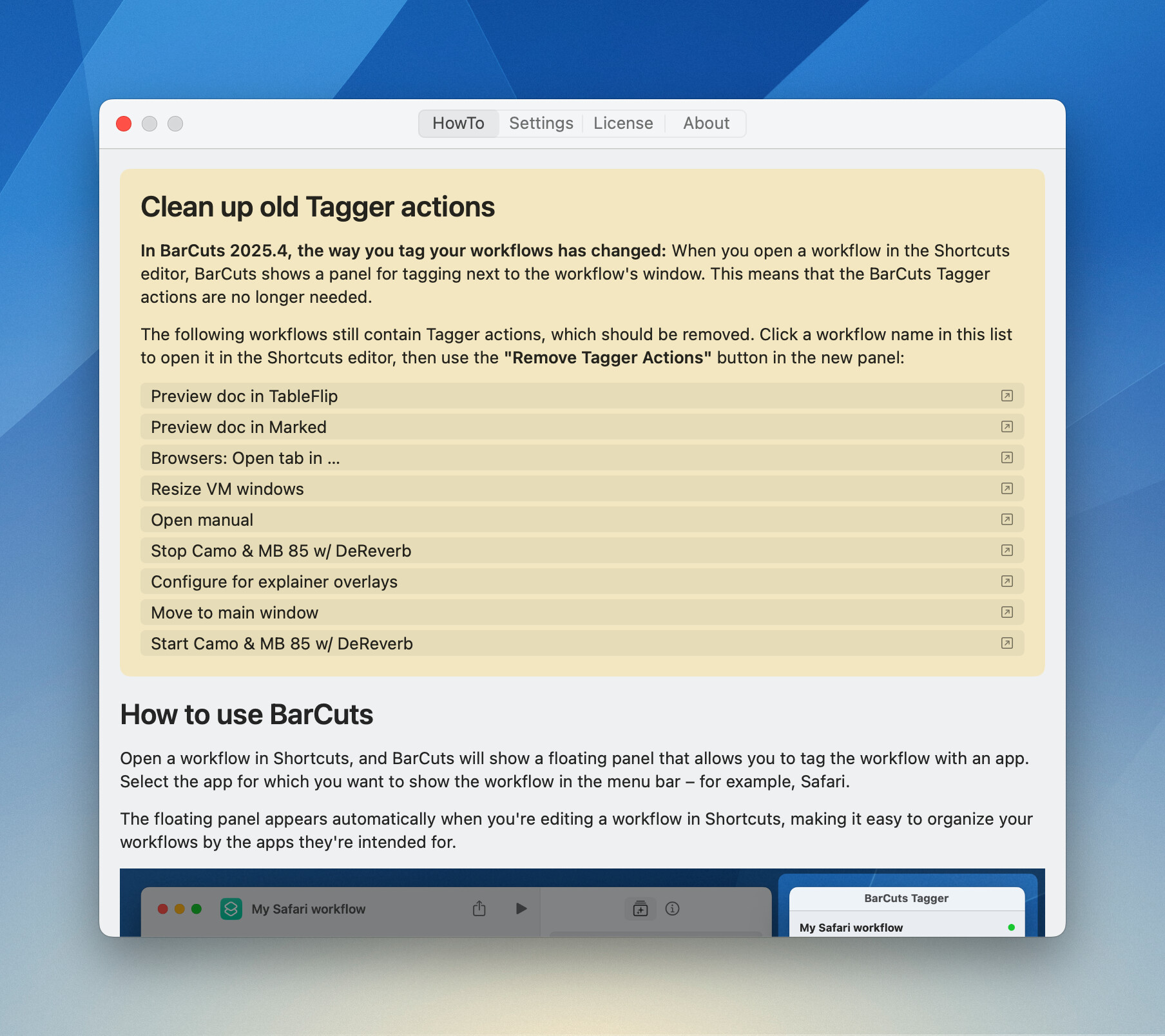
The list items are clickable and will open the workflow in the Shortcuts editor. I took the liberty to build a little “Remove Tagger Actions” helper to ease the migration pain, you’ll find it in the panel :wink:

Things you need to do

  1. You’ll need to grant BarCuts accessibility permissions for the panel to work, so please check the main window to do that.
  2. If you’ve upgraded from an earlier version:
    • If there were tagged workflows still containing the old BarCuts Tagger action, the app will list them.
    • When you edit a workflow that still contains the old BarCuts Tagger action, the panel will offer to remove it for you.

:hammer_and_wrench: No longer broken

The license check during Shortcuts workflow runs was not all that it could be, so it was rewritten. When it runs into issues during license validation, it’ll now be more specific.

:arrow_forward: New Intro Video

And I’ve reshot a big portion of the introduction video because the new panel changes everything. And because it took me a lot of time to do that, allow me to link it here :sweat_smile:

Hi Carlo,

That’s a great update. As you know, I’ve preferred configuring the BarCut menu like this. The only thing still on my wishlist would be the ability to create categories on the application side — for example, grouping all graphic apps together, or all browsers. This would speed up onboarding. But maybe I’m the only one who uses several graphic apps and browsers.

Also, there’s a type-ahead feature in the application menu, the list of apps is very long and shows all apps that are somewhere on the SD and I never saw before (not sure why I even have Boot Camp Assistant on my ARM Mac). I think that for most users, it would be fine to show only apps in /Applications and ~/Applications.

But these are just minor points. I’ll try to update my blog article as soon as possible, though I’m a bit busy at the moment due to all the feedback on my Obsidian Guide.

Best Regards,
Leif

Thanks, Leif!

The only thing still on my wishlist would be the ability to create categories on the application side — for example, grouping all graphic apps together, or all browsers. This would speed up onboarding. But maybe I’m the only one who uses several graphic apps and browsers.

Not sure about this, TBH. Browsers, okay, because Browser Actions and its “frontmost browser” support but other workflows are likely more specific to one single app, no? I mean, if I have a workflow for Pixelmator Pro, I wouldn’t want to see in in Acorn, because it’d be useless there, even though both are image editing apps.

Also, there’s a type-ahead feature in the application menu […]

What do you mean? You can start typing when the dropdown is open, and it’ll move the cursor to the next fitting selection in the list. Not good enough?

the list of apps is very long and shows all apps that are somewhere on the SD and I never saw before (not sure why I even have Boot Camp Assistant on my ARM Mac). I think that for most users, it would be fine to show only apps in /Applications and ~/Applications.

I agree, it’s a long list. But BarCuts compiles the list from what it finds in …

  • /System/Applications (system apps like Calculator etc.)
  • /System/Library/CoreServices/Applications (core system utilities)
  • /Applications
  • ~/Applications (user-level apps)

… plus Finder.app and Safari.app which are in special locations. Boot Camp Assistant.app, for example, is located in /System/Applications/Utilities, together with Console, Activity Monitor, Terminal, and several others. What you get in Finder when you open the Applications folder is actually an amalgam of /Applications and /System/Applications, for example.

That said, in the future I might add customisation to that list of apps.

But these are just minor points. I’ll try to update my blog article as soon as possible, though I’m a bit busy at the moment due to all the feedback on my Obsidian Guide.

You’re a star, thanks in advance. And again, good job on you Obsidian Guide! :clap:t2:

Just a few comments on your comments:

I mean, if I have a workflow for Pixelmator Pro, I wouldn’t want to see it in Acorn, because it’d be useless there, even though both are image editing apps.

I have some common shortcuts for a class of app, e.g. integrate the search for images in the web in my graphic apps, or translation tools in text apps, just things like that. But as I said, not a must.

Also, there’s a type-ahead feature in the application menu […]

What do you mean? You can start typing when the dropdown is open, and it’ll move the cursor to the next fitting selection in the list. Not good enough?

That’s what I meant with type-ahead, positioning the cursor while typing. But you can also think about filtering while typing or making suggestions while typing…

Not good enough?

Already very helpful, nevertheless as an idea: in a long list like this, a kind of filter would be nice, like here in one of my vibe-codings:

Just throwing ideas: One additional option could help to limit the items in the menu, like offering an additional menu with only running apps, or just using an “Open File” dialog, so the user can see the Apps in the context of the folder and use all the features of this dialog, like search…

But these are only some comments when starting the app again. So the main thing is that there is no need anymore to tag the shortcuts/workflows, so this is the real thing for me :slight_smile:

And again, good job on you Obsidian Guide! :clap:t2:

I avoid consciously not using the link in my post because I don’t want to advertise my stuff here (and written in German)…

1 Like

Congrats on this revamp. I was indeed one of those that loved the concept of Barcuts in principle, but was put off by the somewhat onerous workarounds required for iOS etc. This now looks much better.

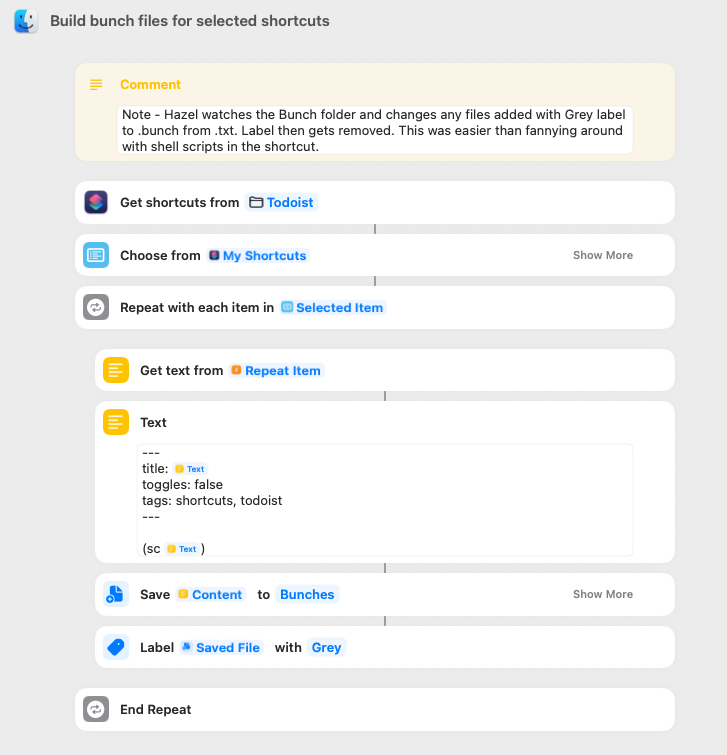
I actually ended up using Brett Terpstra’s Bunch for a keyboard activated Shortcuts menu. One major benefit with Bunch was, by writing/using a shortcut, you could select from a menu of your shortcuts to set up multiple bunches in one go. I might have missed it, but if similar could be done in Barcuts, that would be a great help.

Obviously, with Bunch, you don’t get the “active app” customisation for the menu. But one thing you do get that’s not in Barcuts (?) is quick access numbers to run a shortcut from the Bunch menu when it’s invoked. Perhaps this could be added to Barcuts?

As I say, great to see improvements in Barcuts and hope to jump over from Bunch at some point.

Thanks for the kind words, @Gwil, and welcome to the forum! I very much appreciate that you took the time to add some thoughts, even if I haven’t won you over (yet – working on that…).

Hadn’t heard about Bunch yet even though I know Brett Terpstra (by his projects and blog, that is). Looks interesting, indeed!

I got several ideas and todos on my list for BarCuts to make it the best Shortcuts launcher for me – and hopefully for others, too. Keyboard control’s on that list, definitely. Launching several workflows at once as part of a set, that’s an interesting one. I gotta think on that for a while, but I see some potential.

Again, thank you. If you have other ideas or something you’d like to see in BarCuts, let me know. I can’t promise anything but learning about real-life use cases is always helpful to me.

:vulcan_salute:t3:

That wasn’t really what I was on about. It was more about initial set up within Bunch. By that, run a shortcut, and select the multiple shortcuts that you’d like to see visible and accessible in Bunch and they all get set up in one fell swoop. I might have got it wrong, but even with the new changes, for shortcuts to appear in BarCuts, they are still set up on an individual basis opposed to a “mass assign/configure” option?

1 Like

Ah! Now I get it, thanks for clarifying. Yes, in BC it’s currently a one-by-one setup. But now I have another idea. :wink: