Quick tip: If you have a workflow that you trigger from the iOS share sheet, and you want the workflow to go back to the app that you started it from, you can add a Get App action to the top, capturing a reference to the currently active app, and then at the end of the workflow, use that reference to open that app again, like so:
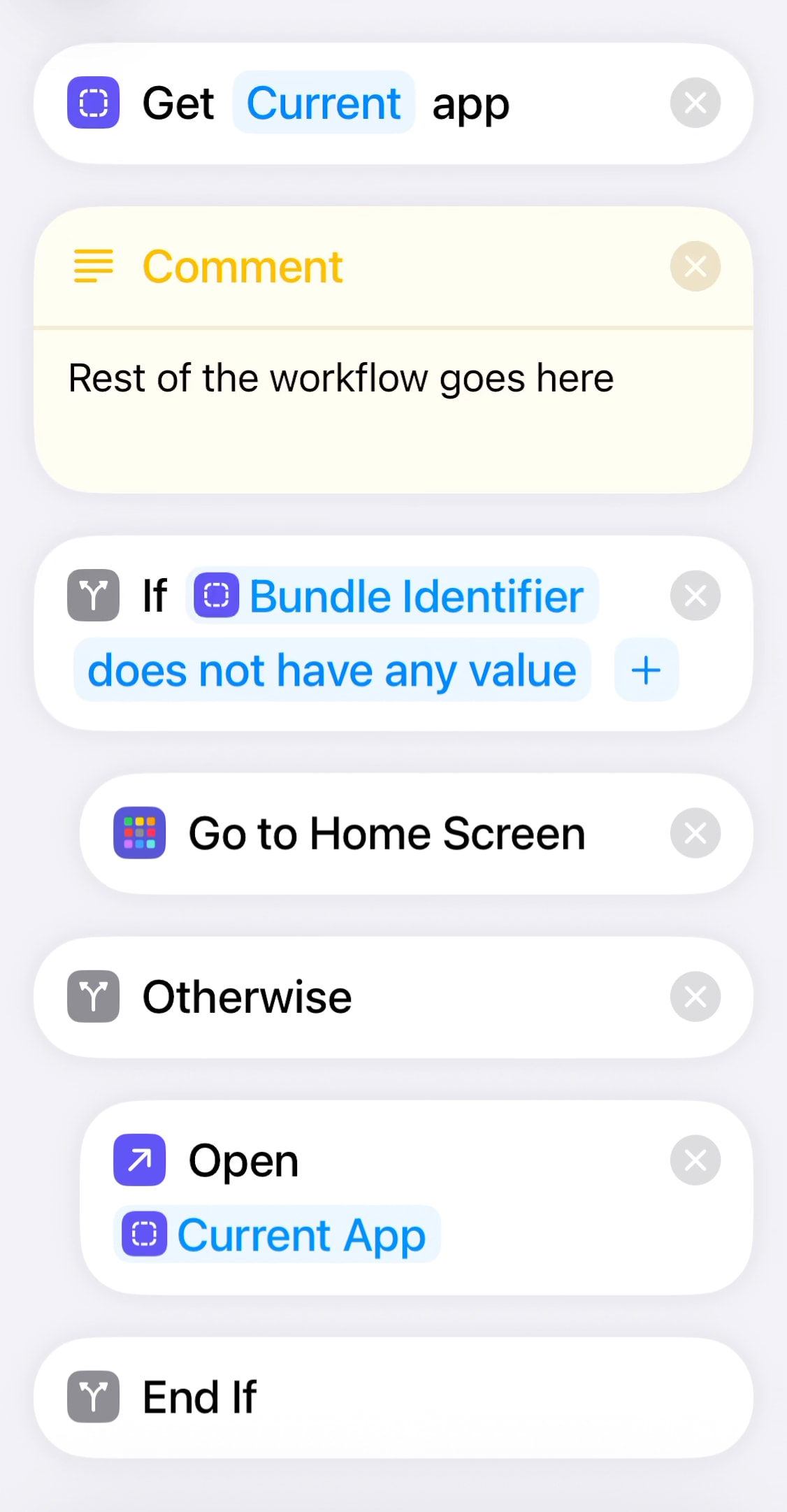
The If condition checks if that captured app reference contains a so-called bundle ID. All apps contain such an ID, except the home screen. So by checking if that bundle ID has any value or not we can tell whether we came from an app or need to fall back to the home screen.
The Bunde Identifier variable in the If action is a property of the Current App variable (the reference from the top action). Insert the Current App var in the If block, then long-tap the var, which will bring up the var’s details where you can select the Bundle Identifier property.
Hope this helps anyone.