Hi everyone,
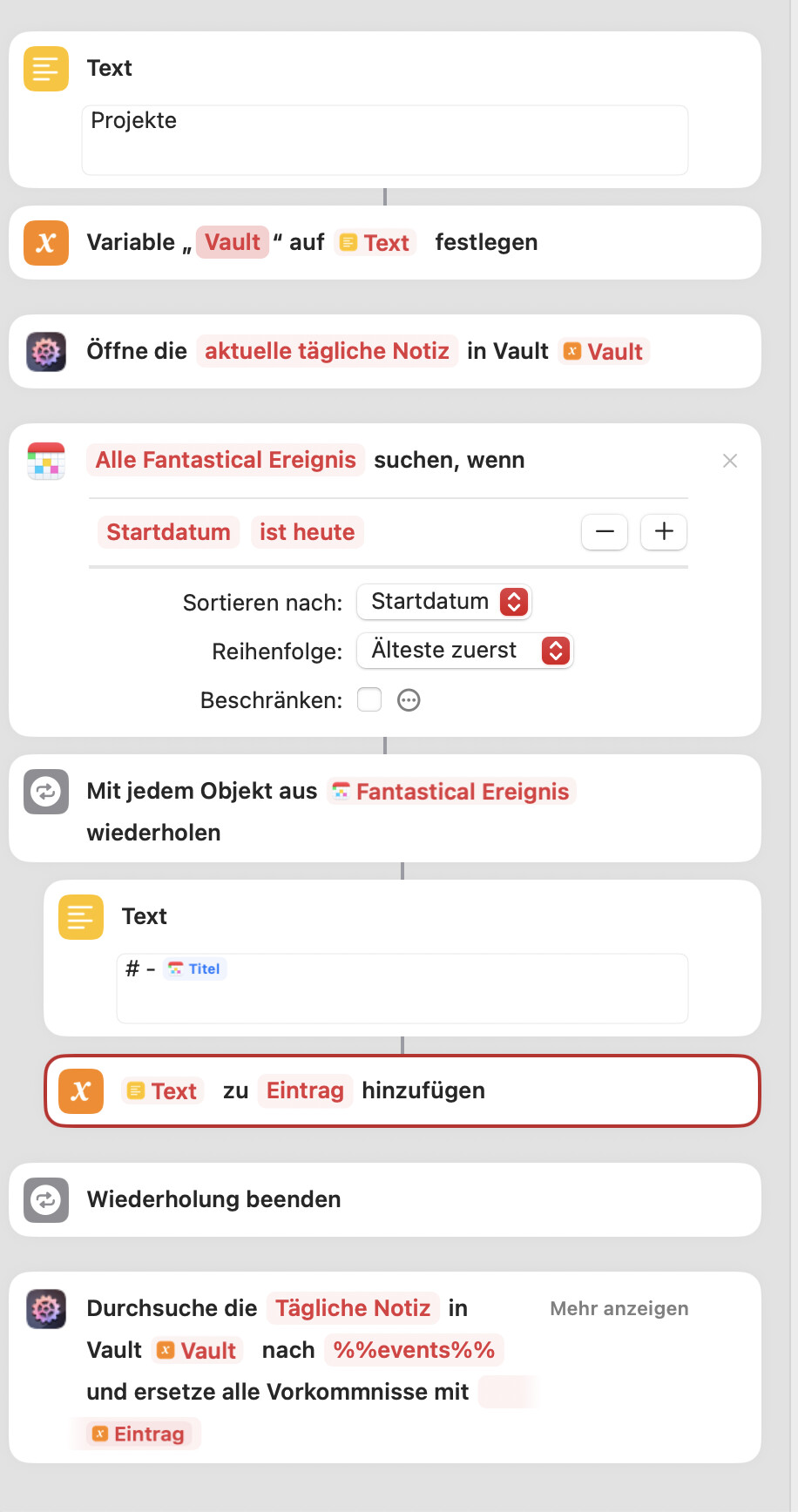
I try to rebuild the Daily Note Workflow, but I run into two problems:
a) the text variable for “vault” won’t work, it always prompt to ask for the vault
b) The text “# - “ is only taken once, and text is not wrapped correctly.
What do I need to change?
Good morning, @Al.Jarreau – and welcome to the forum!
The Text + Set Variable is outdated and can be replaced with a Get Vault Reference action, see its linked docs page for an example.
The text “# - “ is only taken once, and text is not wrapped correctly.
Could you elaborate, please? Wrapped in what? And you’re expecting more than one event to be listed, do I understand that right? (BTW, one minor flaw of this simple Start-date-based example is that it won’t show multi-day events unless their start date is today.)
Hi @czottmann thanks for your for welcome!
The connection is solved and working now, thanks for the hint.
Still the text is not wrapped correctly:
The results look like this:
# 08:00
09:30
10:30
11:00
14:30
19:00- WG: ST Folgetermin
Termin2
Termin3
Termin4
Termin5
And it’s the same result, whether I use the Fantastical or the Calendar Shortcuts.
Hmm. Still have a hard time understanding, I’m afraid. The screenshot tells me you want this kind of list:
# - Event 1
# - Event 2
# - Event 3
# - Event 4
…
Is that correct? And if so, then I’m confused as to why the result you’ve posted doesn’t contain any hyphens at all, not even in the first line.
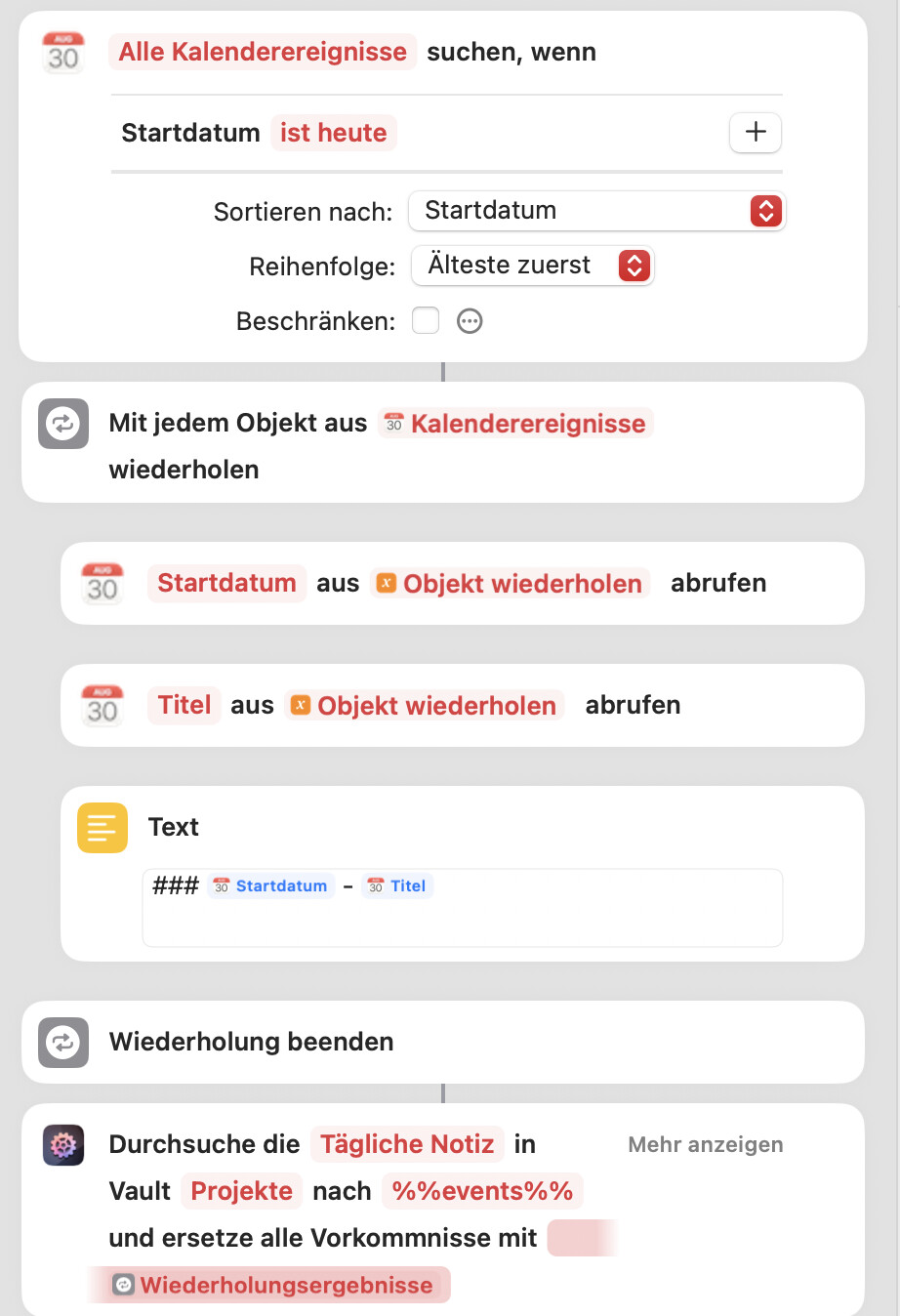
You can’t write calendar entries directly into Text. You first have to fetch the details and put them in separate variables. Kind of wiered.
This works:
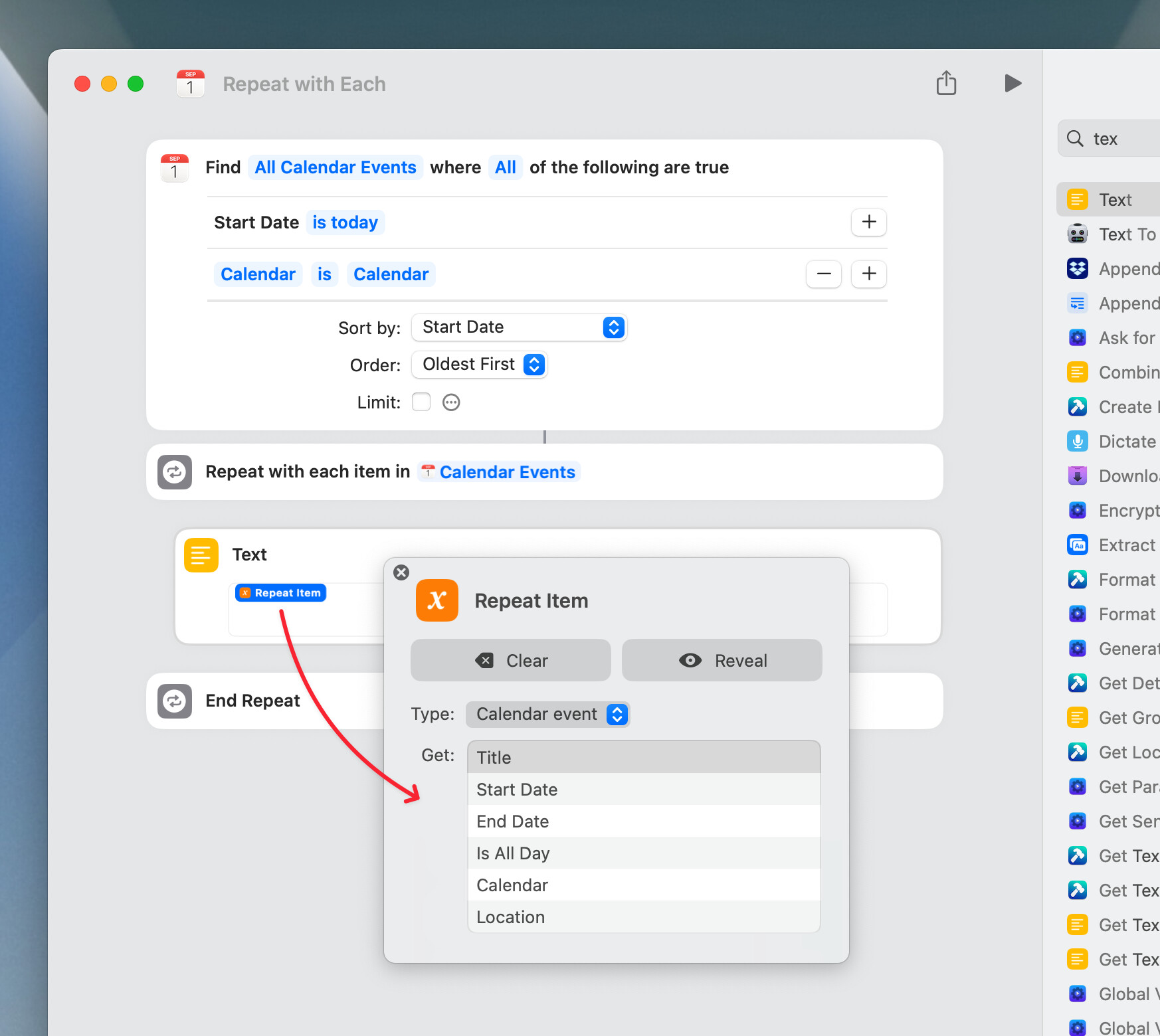
Thanks for the update. Weird, indeed. Usually, selecting a result’s property directly works but apparently not anymore? I mean, like so. Adding the Repeat Item to a Text, then clicking it to pick one of its properties:
1 Like
That worked, thanks for the hint.
1 Like