Curious if there’s a way to save a photo to my daily log in obsidian. I’ve tried sharing it with the append to note but it comes through as text. Anyone have an idea? I’m new to this.
Good morning, I’m currently on the road (vacation) so I’ll be brief:
There’s a example for that on the Save File action docs page. HTH!
Welcome to the forum, @Lareina! 
Thanks! That worked great!
Looking at the docs, I see how to get a single photo and add it. Since I want it for the daily note, how do I get the daily note? (I’m using Liam Cain’s Periodic Notes plugin)
If you want to get Actions For Obsidian to give you the current daily note, then use Append Text To A Note (or any other note modification action), and set the Note Lookup field to current Daily Note.
(It works the same way with any other note-related action, like Get Note, Create Note etc.)
Thanks that part now makes sense. I’m getting stuck at an earlier step.
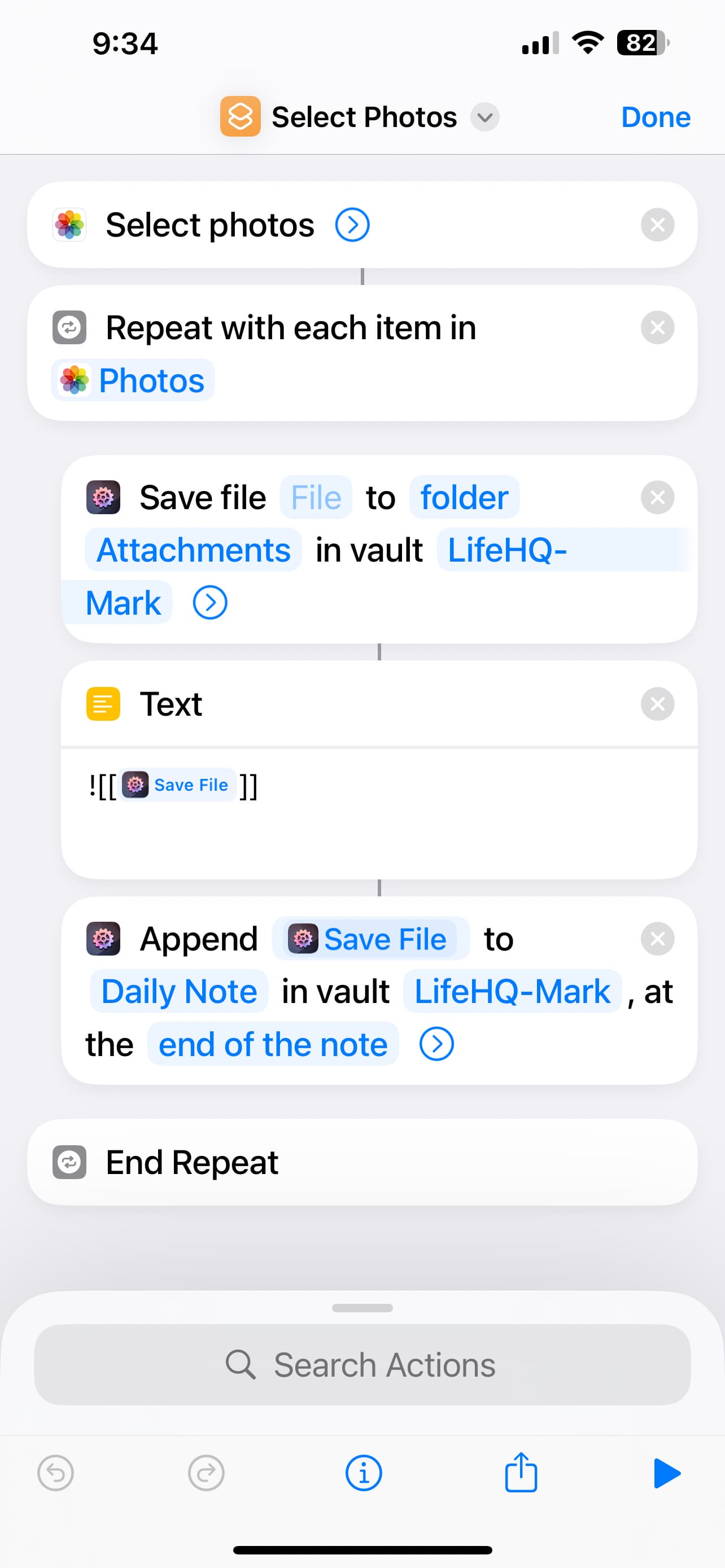
I can’t get the ‘photo’ variable to show up in the Save Files function. When I click there a file picker appears.
(The irony shortcuts have been made so ‘easy’, yet I could do this so much faster in Java/… or other programming languages)
Right, so you’re looping over the list of photos (Repeat with each item in …) one by one. This sets up a Repeat Item variable inside that loop that contains the current photo. The issue is that the the Save File’s File parameter is empty. Long tap that parameter, that should give you a few available options, among them the Repeat Item.
(The picker appears because it wants you to select a file since the File parameter is missing.)
Does that help?
1 Like
Funny all it required was a long hold on the file instead of a tap.
Shortcuts UI doesn’t make it clear that is possible.
I agree. It’s definitely not the most obvious UI ever.