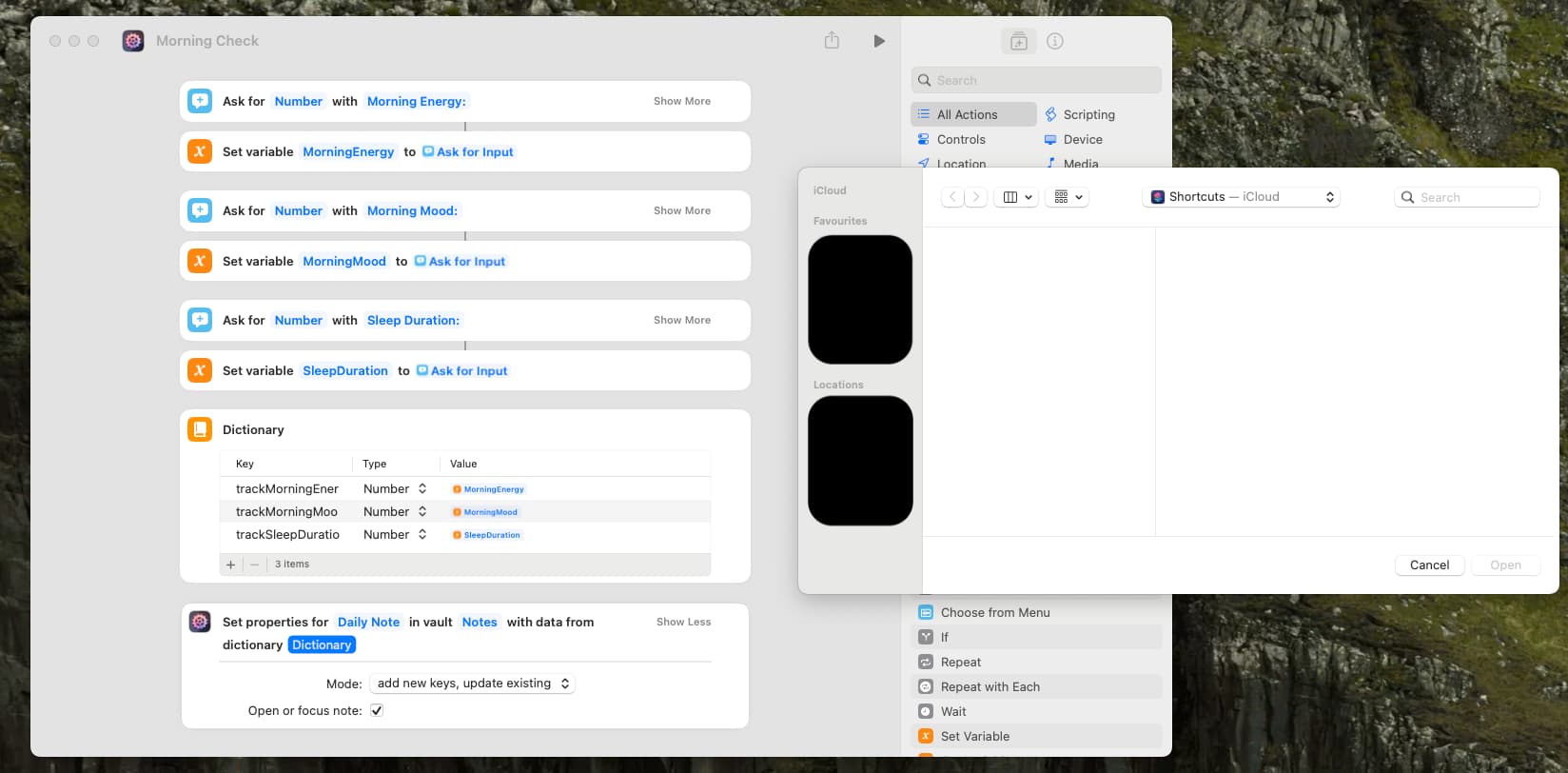
Reaching out here as I get stuck with updating the note properties:
I tried to follow what I see in the Knowledge Base, but I can’t use the Directory I create as input:
Would love to get your pointers!
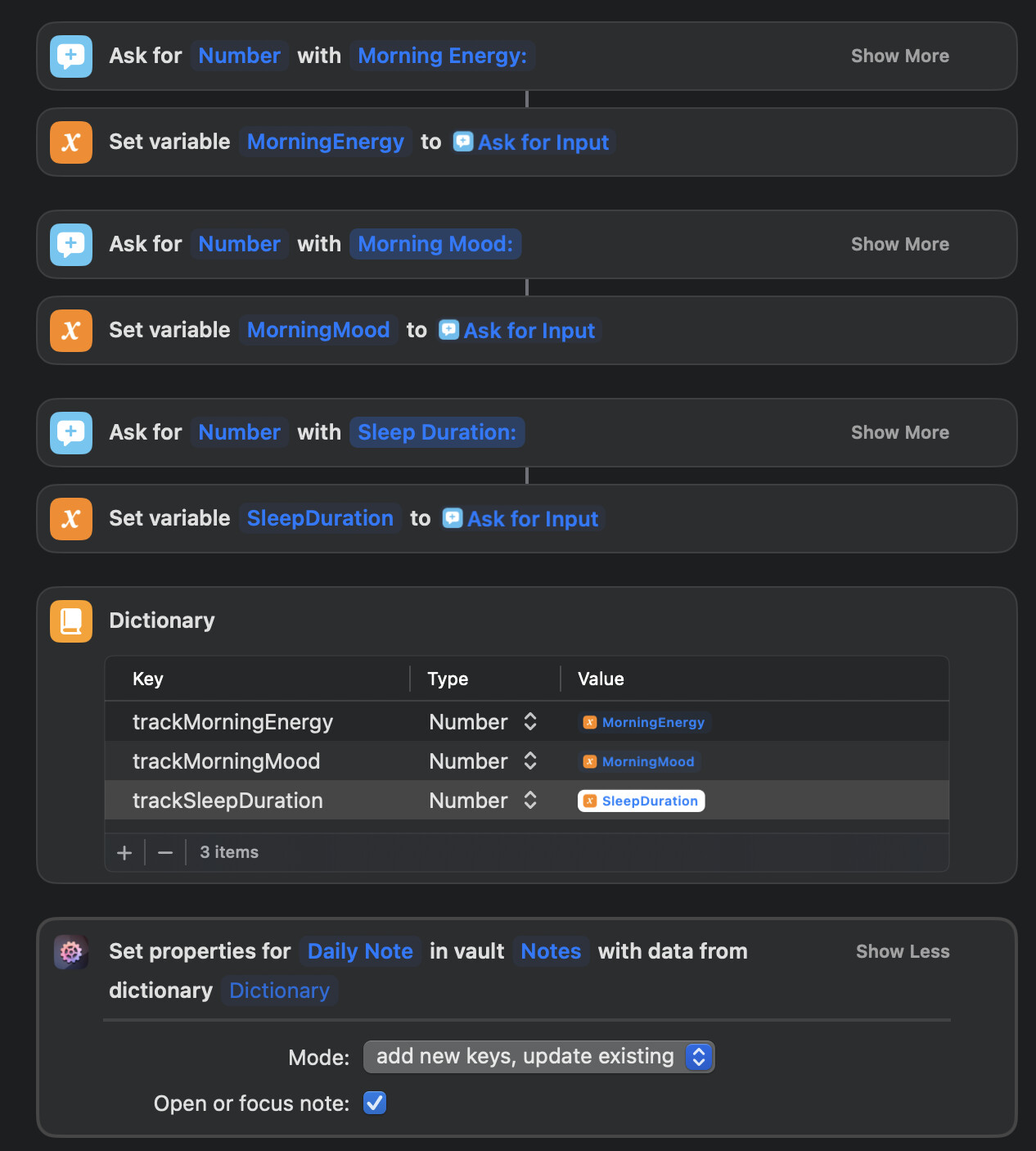
Reaching out here as I get stuck with updating the note properties:
I tried to follow what I see in the Knowledge Base, but I can’t use the Directory I create as input:
Would love to get your pointers!
Hey @LikeShootingStars! According to your screenshot, the AFO action doesn’t actually use your dictionary yet. If you look closely, you’ll see that the parameter “Dictionary” in Set Note Properties is still unset, showing only the placeholder. Tap or right-click the field, and select the result of the native Dictionary action.
Update: You could also cut down the total number of actions by eschewing these temp variables, using the results from the Ask for Input actions directly. Sorry for the right-click menus not showing up properly in the video, not sure what’s up with my screen recording tool lately. I did a right-click → Insert Variable → Select Variable.
Hope this helps, but if not, please let me know!
Hi @czottmann and thanks for the response!
…and the tip on cutting down on the variables – Very helpful!
On the setting the Dictionary, that is exactly what I expected but what isn’t working for me. When I clicked on it, I always got following file picker:
Screen recordings don’t seem to work for me, but this is what opens when I click on the placeholder.
However: Somehow, tinkering a bit more around I was able now to choose it with a right-click. Probably just an error on my side.
Thanks for the solve!
That’s why I said “right-click the field”  Left-clicking it will bring up the file picker because under the hood, Shortcuts’ dictionaries are just JSON files. But right-clicking lets you select another action’s result or a variable. That behavior is displayed in several actions.
Shortcuts is still a bit finicky / rough around the edges 
Thanks – Great that this works.
Now this opens up a different question: The properties should be displayed in the Frontmatter, right?
They do show up on my Obsidian on my Mac:
But not on my iPhone:
Context: I do the input via iOS
Update: The properties show also now in the note on my iPhone.
Don’t know what happened but it works 
Are you using iCloud Sync by any chance?
No – Obsidian sync all the way.