In preparation for a live session for The Library Community that I did earlier, I did some research on the new type of custom keyboards for iOS, which are actually voice transcription apps – e.g, Whisper Transcription, Wispr Flow etc.
These apps and their dictation are implemented as voice input keyboards, basically special keyboards that have a big microphone button. You tap that button, you dictate your note. The dictation is cleaned up by an AI and inserted as text.
If you want to use that keyboard in a Shortcuts workflow’s Ask For Text prompt/dialog, iOS will not show the mic button but instead fall back to a bog-standard US keyboard. The workaround here is to rely on Toolbox Pro’s Input Text action which full text field view, and those keyboards will work in there just fine.
So here’s a screenshot of how that would look:
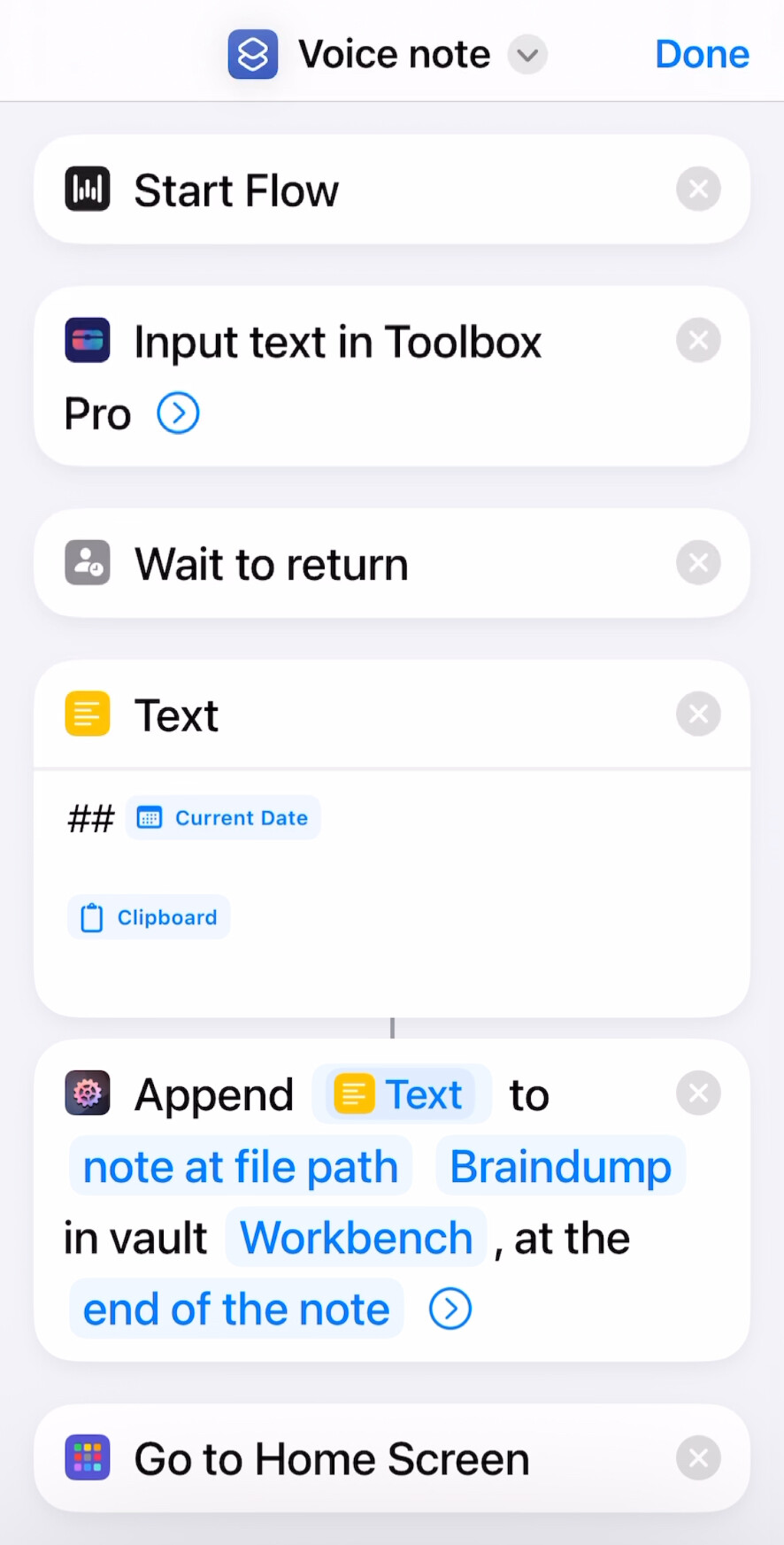
(Start Flow belongs to the Wispr Flow app and is likely not even necessary. The “meat” is Input Text in Toolbox Pro!)