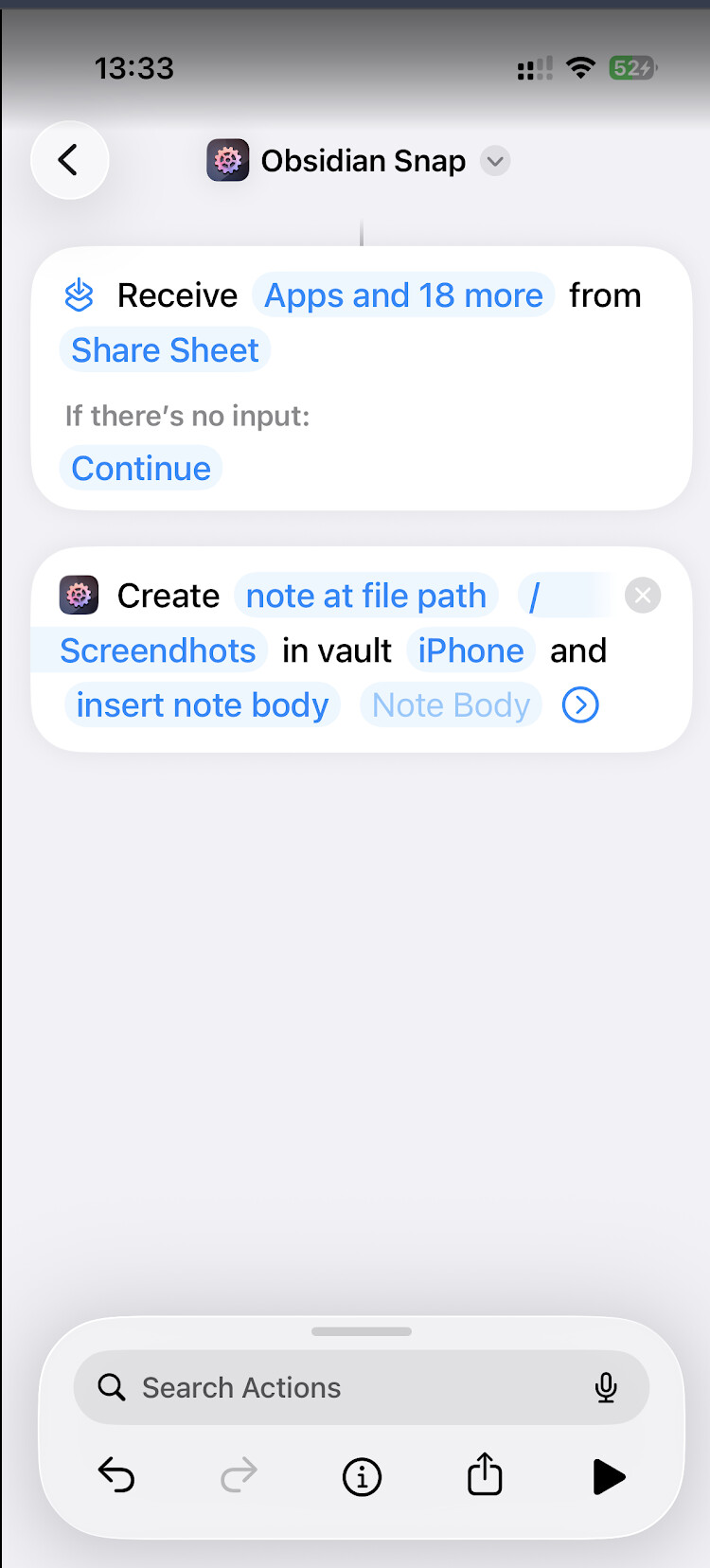
Hello.
I am new to Obsidian and to AfO. My task is simple. I want to take a screenshot and save it to new note under Screenshots folder. What I am doing it wrong here?
Hello.
I am new to Obsidian and to AfO. My task is simple. I want to take a screenshot and save it to new note under Screenshots folder. What I am doing it wrong here?
Hi @wojcieh, welcome to the forum!
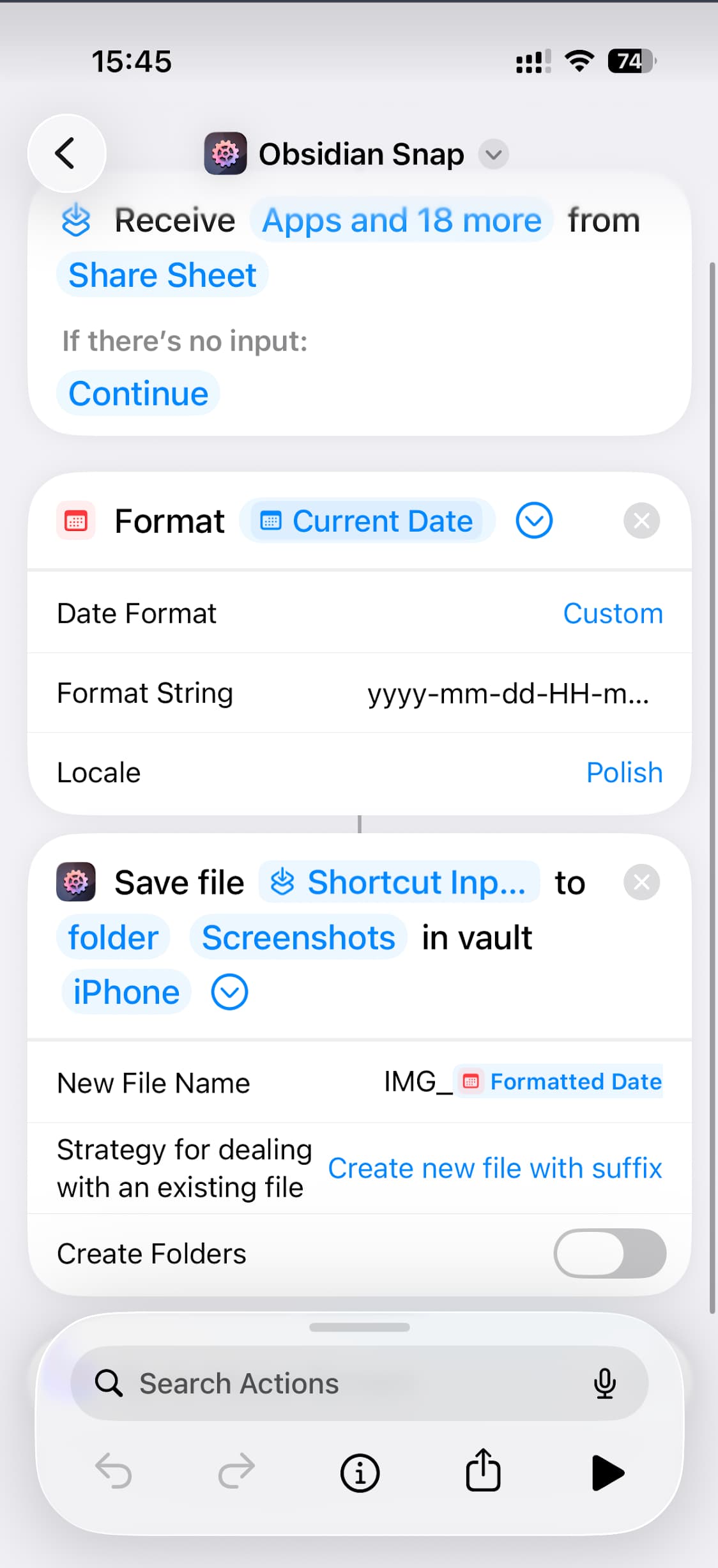
Your workflow can receive a screenshot or photo but doesn’t do anything with it yet. You only create an empty note, but you don’t save the file. You’d need to use the Shortcuts input from your Share Sheet, save that file to your vault, then add it to a note (that last step is optional if all you want to do is only saving that file!).
I added this as an example to the Save File docs page a while ago, so take a look at that, please.
Let me know if that helped, if not, I can keep explaining 
Thanks. I managed to figure it out with Gemini and your post.
Will AfO always pop out when using it?
Short answer: Yes, it does, for unavoidable technical reasons, please see here: Actions For Obsidian › FAQs › Technical FAQs — ActionsDotWork. Docs
That said, I work on an update which (if I’m successful) will introduce another mode to interact with your vaults that manages to avoid that. It’s a major undertaking, tho, and takes its time.
PS: Related tip to make the back-and-forth less of an issue. AFO iOS power user tip: Reduce Motion